
In today’s fast-moving office environments — where laptops, tablets, printers, projectors and other IT assets are constantly move between meeting rooms, departments, and remote setups—keeping track of every asset is critical. BLE (Bluetooth Low Energy) technology transforms this need into reality by turning every laptop into a continuously tracked asset without relying on GPS, Wi-Fi, or cellular signals that falter indoors.
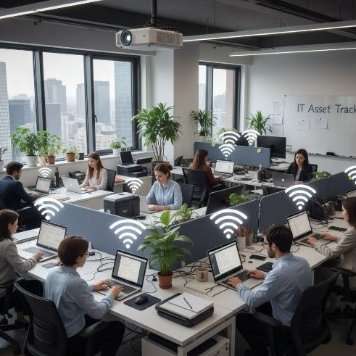
Attach a small-sized BLE tag to the IT asset and track live location in few seconds. It provides reliable indoor tracking without depending on GPS or Wi-Fi, ensuring consistent up to 30-meter range in offices or areas with poor connectivity.
Strategically place BLE gateways across ceilings, walls, and conference rooms capture these signals, and push locations to a cloud dashboard in real time.
Walk into any floor and the map lights up: every laptop appears as a pulsing icon, labelled by asset ID, user, and department. Watch a device flow from the open workspace to the executive suite — each movement track instantly. Set invisible geofences around sensitive zones; the moment a laptop crosses the boundary; the asset tracking system fires an alert to security.
No problem. BLE tracking operates independently of the device’s own connectivity. The tag keeps sending its signal even if the laptop is turned off, asleep, or has its battery taken out for repair—so you can always see where it is.
Locate asset within 30 meters using a network of Bluetooth gateways—perfect for crowded offices.
Up to1 years on a single coin-cell battery, minimizing maintenance hassles.
Get instant notifications the moment the IT asset e.g. laptop, tablets, printer, projector, etc exits your defined zone—floor, building, or campus.
Works with your existing Wi-Fi infrastructure or our affordable gateway add-ons. Compatible with iOS, Android, and web dashboards.
Get instant notifications the moment the IT asset e.g. laptop, tablets, printer, projector, etc exits your defined zone—floor, building, or campus.
BLE tags are tiny, power-sipping sensors that stick quietly to inventory of all IT asset like laptop, tablets, projector, etc making them instantly trackable without weight or worry. Unlike GPS that burns battery and needs cell signal, BLE runs on whisper-quiet Bluetooth—perfect for offices, co-working floors, and warehouses where every corner stays in view. No cables, no charging, just smart, silent tracking that fits your workflow.
Switching to Bluetooth beacon tracking isn’t just about recovery—it’s about transforming how your business operates. Here’s why teams love it:
Affordable to acquire, with low power consumption for extended battery life, and simple to deploy with minimal infrastructure.
Ultra-low BLE consumption powers tags for 12+ months, cutting replacement costs by 80% compared to GPS alternatives.
Monitors devices only—no personal data collected; fully aligned with GDPR, CCPA, and enterprise privacy mandates.
Set up in under 60 minutes; zero network rewiring or complex IT projects needed.
Dashboard reports on usage patterns, helping optimize device allocation and cut idle hardware expenses.